
Obstacles
Walls need no special component. A Vision Source reads the colliders around it from physics every update, and any collider on the layers in its Blocked By mask blocks the view. Doors that open, crates that are pushed and walls that are destroyed all work without extra code.
Which colliders block
Blocked By is a layer mask on each Vision Source. When you add a source, it is set to every layer except one named Characters, if your project has it.
Trigger colliders are ignored unless Triggers Block is on. Disabled colliders and colliders on inactive objects never block.
Characters usually should not block each other's view. Put them on a separate layer and remove it from Blocked By. If a layer named Characters is in the mask, the Inspector offers Exclude.
Supported colliders
2D and 2D Isometric
| Collider | How it is read |
|---|---|
| Box Collider 2D, Polygon Collider 2D, Edge Collider 2D | Exactly, from the collider's own data |
| Circle, Capsule, Composite, Tilemap, Custom Collider 2D | Exactly the shape the physics engine uses |
For tilemaps, a Tilemap Collider 2D combined into a Composite Collider 2D in Outlines mode gives the fewest edges, which keeps the cost down on large maps.
3D
In 3D each collider is cut at the eye height of the source (see Modes).
| Collider | How it is cut |
|---|---|
| Box, Sphere, Capsule, Character Controller | Exactly |
| Mesh Collider | Triangle by triangle. In builds the mesh needs Read/Write enabled in its import settings, otherwise its bounding box is used |
| Other types, e.g. Terrain Collider | Their axis-aligned bounding box |
A Terrain Collider becomes a box that covers the whole terrain, so it would block everything. Keep terrain and floors on a layer that is not in Blocked By. A flat floor at foot level does not block anyway, because it is below the eyes.
The observer's own body
The colliders of the observer itself must not block its own view. Own Body is the object whose colliders, and its children's, are ignored by this source. Leave it empty to find it automatically:
- 2D: the closest parent with a Rigidbody 2D;
- 3D: the closest parent with a Rigidbody or a Character Controller;
- otherwise the source's own object.
If the source is on an "eyes" child of a character and the body cannot be found automatically, the Inspector offers Use Parent.
Vision Target and Fog Hider do the same for the object being looked at: a target's own colliders never hide the target itself. If you add or remove colliders at runtime, call VisionTarget.RefreshColliders() or FogHider.RefreshRenderers().
See-through obstacles
To let vision through a single object, add a Vision Occluder to it and set See Through:
- 0: blocks like any wall;
- 1: fully see-through, for bars, grates and low fences;
- in between: observers see that share of their remaining range beyond the object, for glass, foliage and smoke. At 0.5 a guard with 4 units of range left sees 2 units past the bush.
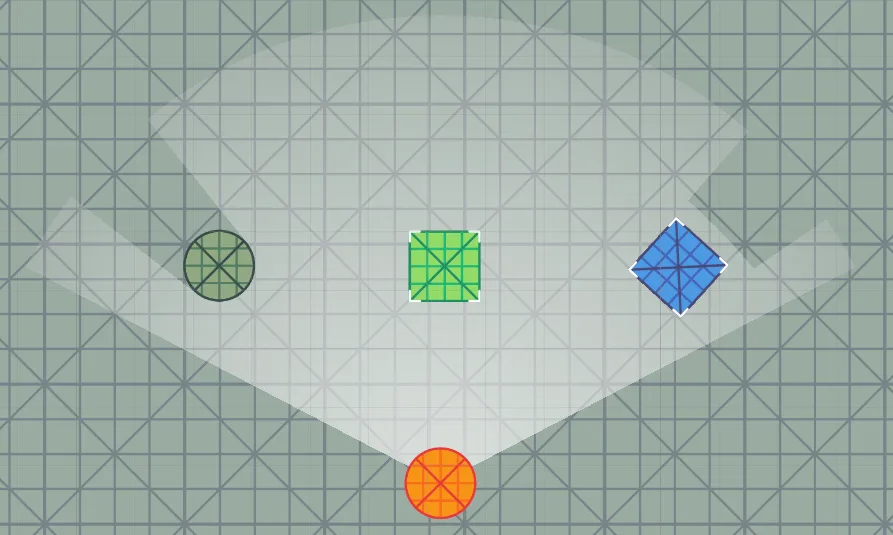
For whole groups of objects, a layer that is not in Blocked By is simpler. The component is handy for single objects, and for objects that change at runtime: a window that shatters, smoke that clears.
Revealers: vision without obstacles
Set Blocked By to Nothing and the source makes no physics queries at all. It reveals a plain circle or cone through walls. This is the cheapest kind of source. Use it for units that only need to clear the fog around them, such as RTS units, scouting wards or a "sense nearby" effect. The Inspector reminds you that walls will not block this source; for a revealer that is intended.