
Demo Scenes
The Demo folder contains a small game, showcase scenes for the individual features, and the benchmarks. Everything in it, including the scripts, sprites and sounds, is part of the asset: use it as a reference, copy what you need into your own project and change it as you like. The Demo folder is optional and can be left out when importing or deleted later; the rest of the package does not depend on it.
Stealth shooter
A small top-down stealth shooter. The player sneaks through a dark level full of zombies. They patrol, notice the player gradually, chase, search the last known position and come to check gunshots. Kill all the zombies to win; get caught and it is game over.
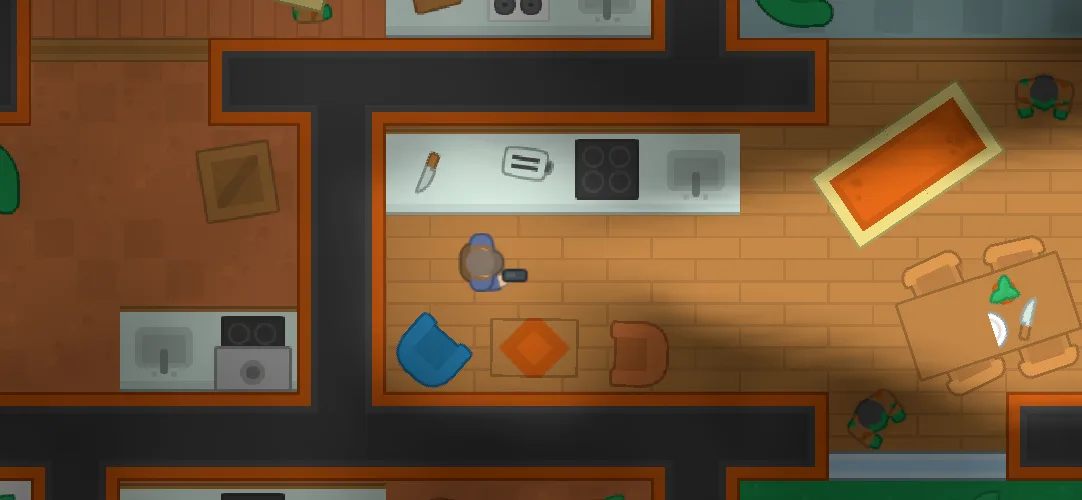
Controls: WASD or arrow keys to move, mouse to aim, left click or Space to shoot, Enter to start, R to restart.
The game is built only from the components described in this documentation. Movement, shooting and AI are plain scripts on top of them.
| Script | What it does |
|---|---|
ZombieAI2D | The zombie AI, driven entirely by Vision Perception: patrols its route, stops and stares when suspicious, chases when alerted, goes to the last known position when the player hides, and checks out gunshots |
AwarenessIndicator | Shows "?" when a zombie is suspicious and "!" when alerted, above its head. Hides together with the zombie when a Fog Hider hides it |
ZombieVoice | Zombie sounds: an occasional groan while wandering, a scream when it spots the player, growls while chasing. Volume and stereo pan follow the distance, so zombies can be heard in the dark before they are seen |
PlayerController2D | Moves the player and turns it towards the mouse cursor. Handles being caught |
PlayerShooter2D | The pistol: an instant shot along the aim direction. Every shot makes a noise that zombies nearby come to check |
CameraFollow2D | Follows the player smoothly, looking slightly ahead, with screen shake |
DemoEffects | Muzzle flashes, sparks, blood and blood pools, generated in code without any art |
StartScreen | The intro panel with the controls; keeps the game paused until Start or Enter is pressed |
GameOverScreen | The Game Over and Victory screens with restart |
DemoInput | Reads the keyboard and mouse; works with both the Input System and the old Input Manager |
ZombieAI2D and PlayerShooter2D are a complete example of the approach described in Stealth Guards.
To restart the game, the scene must be in the build's scene list (File > Build Profiles > Scene List).
Showcase scenes
Short scenes that each show one feature with nothing else around it, so you can see the settings that make it work. Select the objects and look at their Inspectors.
| Scene | What it shows |
|---|---|
DemoGame | The stealth shooter described above |
Demo1 | All features in 2D: vision cones, awareness, fog of war, hidden objects, see-through obstacles |
Demo2 | 2D isometric: Vision Source, Vision Cone Renderer and Fog Of War on an isometric tilemap |
Demo3 | 2D benchmark, see Benchmarks |
Demo4 | 3D benchmark, see Benchmarks |
Demo5 | All features in 3D: the same as Demo1, with 3D physics and fog on geometry |
The objects in these scenes are moved by ShowcaseMover, a small script that moves an object along waypoints, sweeps it left and right like a guard looking around or a security camera, or spins it in place. It contains no game logic and can be reused for quick tests.
Benchmarks
The 2D and 3D benchmark scenes spawn many moving vision sources among random obstacles and show how long Vision Fog takes per frame. See Benchmarks.
Third-party content
The sprites and sounds in the demo are released under CC0 1.0 (public domain). Their sources are listed in Third-Party Notices.txt in the package.